
Short answer
Dark vertical lines on laser prints usually come from a dirty corona wire, the drum or the toner cartridge. White vertical lines often mean a scrap of paper or dust is in the way. Spots that repeat at the same spacing point to the drum or a roller. Start with the free fixes: clean the corona wire, print a cleaning page and check the paper type setting. Replace the toner or drum only if the marks stay.
Streaks and lines look alike at first glance, but the shape and direction of the mark tell you a lot about where it comes from. Match your page to the table below, then work through the fixes in order.
What the marks on your page mean
| What you see | Likely cause | What to try |
|---|---|---|
| Black vertical lines or toner stains | Dirty corona wire, the toner cartridge or the drum. Less often, a dirty fuser. | Clean the corona wire, then replace the toner, then the drum. A dirty fuser needs a technician. |
| White vertical lines | Something in the way, such as torn paper, a sticky note or dust near the toner and drum. | Take out the toner and drum and remove anything stuck inside. |
| Horizontal white lines | The wrong paper type setting, a printer that sat idle for a long time, or a dirty drum. | Set the right paper type, print a few blank pages, clean the drum. |
| Spots or marks that repeat down the page | Something stuck on the drum, like label glue, or a worn roller. | Measure the spacing between the marks and check your model’s chart. |
| A faint copy of the image further down the page (ghosting) | Low humidity or temperature, the wrong paper type, the drum or toner, or the fuser. | Check the paper setting and the room, then the toner and drum. |
Free fixes to try first

- Clean the corona wire (Brother printers with a separate drum). Take out the drum and toner assembly, slide the green tab from left to right several times, and put the tab back in its home position with the arrows lined up. Leaving it out of place can itself cause a vertical stripe.
- Print a cleaning page (HP LaserJet). On many models it is under Setup, then Printer Maintenance, then Print Quality Tools, then Cleaning Page. Load plain paper and throw the page away afterwards. Menu paths differ between control panels.
- Check the paper type setting. Make it match the paper in the tray, in the printer driver as well as on the printer, because the driver setting wins.
- Look inside. With the cartridge out, check for torn paper, sticky notes or labels.
Repeating marks: measure the gap
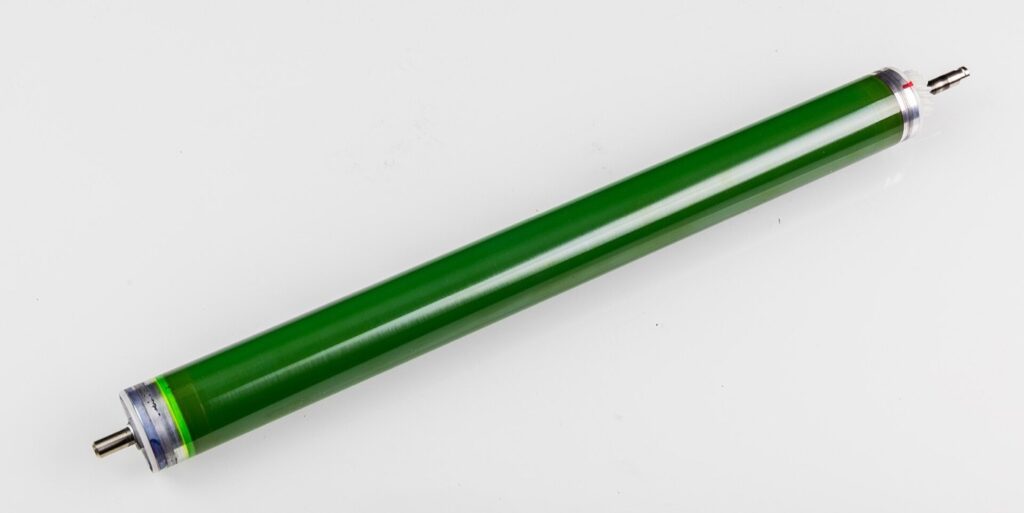
When a mark repeats at the same distance down the page, measure from one mark to the next with a ruler. Printer makers such as HP and Lexmark publish defect charts for their models that match that distance to a part, like the drum, a roller or the fuser. On the Brother HL-L2460DW, for example, spots every 94 mm (3.7 in) mean something is stuck on the drum. The distances differ by model, so look up the chart for yours.
Toner, drum or a repair?
If the marks stay after the free fixes, replace the part they point to. On most HP LaserJets the drum is built into the toner cartridge, so a new cartridge replaces both. On Brother printers with a separate drum, try a new toner first and then the drum. Our drum vs toner guide explains the difference. Marks that come from the fuser are a repair job, not a supply.
Drum units for Brother and HP, genuine and compatible
-
Brother DR730 Black Drum
$124.99 -
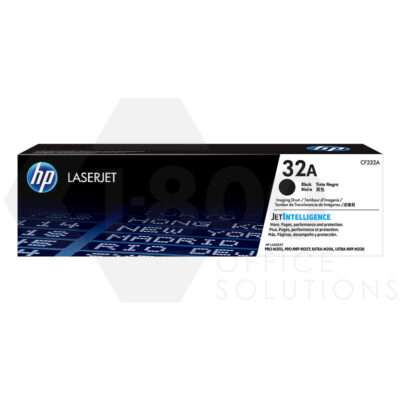
HP 32A Black Drum
$127.99



Questions we get
Why does my printer print a line down the page?
A single dark vertical line usually comes from a dirty corona wire or a scratch or spot on the drum. Clean the corona wire first. If the line stays, replace the drum, or the toner cartridge if the drum is built into it.
Will a new toner cartridge fix streaks?
It fixes streaks caused by the cartridge, and on printers where the drum is inside the cartridge it fixes drum streaks too. It won’t fix a dirty corona wire, the wrong paper setting or a fuser problem.
What is ghosting on a printout?
A faint repeat of text or an image further down the page. Brother lists low humidity or temperature, the wrong paper type, the drum or toner, and a dirty fuser as causes.
Find the right supplies for your printer